Building a CRM with HyphaBase · Episode 3
Authentication vs. Authorization in SaaS: What's the Difference?
Authentication proves who is making a request. Authorization decides what they may do. See both in a real CRM: sign-in, tokens, and a server that says 401.
Our CRM can store customer records now. Progress.
There's just one fairly important question we haven't answered: who's allowed to see them?
Before we fix that, we need to separate two security concepts that usually get lumped together as "auth". In this article we define both, show how they map to the 401 and 403 status codes, and then add real authentication to the CRM. By the end it has a user, a sign-in, and a server that refuses every request without a token. The code is in the series repository.
Authentication vs. authorization: the short answer
Authentication answers: who is making this request?
Authorization answers: what is that person allowed to do?
| Authentication | Authorization | |
|---|---|---|
| Question | Who are you? | What may you do? |
| Also called | AuthN, sign-in, login | AuthZ, permissions, access control |
| Proven with | A password, a token, a passkey | Roles, permissions, scopes, ownership |
| Happens | First | After the caller is known |
| Fails with | 401 Unauthorized |
403 Forbidden |
| Example | Sarah signs in with her password | Sarah may delete a customer; Marcus may not |
Authentication always comes first, because you can't decide what someone may do before you know who they are. But a successful login only proves who the user is. It doesn't mean they should be allowed to read every record, change the settings or delete customers.
401 vs. 403
The two status codes line up with the two questions. The names don't help, though. 401 is called "Unauthorized", but what it means is unauthenticated.
A 401 says we don't know who you are. Maybe there's no token, the token expired, or the password was wrong. The fix is to sign in.
A 403 says we know who you are, and the answer is no. Signing in again won't change it.
It's worth returning the right one, because the client reacts differently to each. On a 401 it should send the user to the sign-in page. On a 403 it should tell them they don't have access.
Why hiding the screen is not authentication
Hiding the customers screen when nobody is logged in isn't enough. Someone can skip the screen and call the API directly. Authentication has to be enforced where the data is actually served, and that's the server.
That decides how we build the CRM.
Authentication in a real app: the CRM gets its first user
After episode 2, the only thing protecting our customers was a secret API key. That's fine for a script on your own machine. But the key can't go to a browser, and it tells us nothing about who is asking.
So the CRM gets two new things.
The first is users, and we're not building another authentication system from scratch for them. HyphaBase stores the users, keeps their passwords hashed, checks them at sign-in and issues the tokens. Our repository has no users table and no password code.
The second is a server of our own. It's the only place the secret key lives, and it asks HyphaBase who each request comes from before it reads a single customer.
you (a token) -> the CRM server (the secret key) -> HyphaBaseCreate a user
Meet Sarah Mitchell. She's the fictional owner of Brightside Cleaning and our CRM's first user. Users belong to a location, so the request names one:
export async function addUser(api, locationId, { name, email, password }) {
  const { data } = await api.request("/api/modules/employees/users", {
    method: "POST",
    locationId,
    body: { name, email, password },
  });
  return data;
}
We send this with the secret key, which needs the users.create scope and access to the location. The location id goes in the X-Location-Id header.
Sign in and get a token
Signing in trades an email and a password for a token:
export function signIn(api, { email, password }) {
  return api.request("/api/auth/login", { method: "POST", body: { email, password } });
}
Our server makes this request with its secret key, which tells HyphaBase which app the user belongs to. The response has a token and its expiry time. The server passes those on to the client and keeps the refresh token to itself.
Guard every route
Every protected route on the CRM server starts the same way:
async function requireUser(req, res) {
  const token = bearerToken(req);
  if (!token) {
    send(res, 401, { error: "Sign in first." });
    return null;
  }

  const user = await currentUser(api, locationId, token);
  if (!user) send(res, 401, { error: "Your session is not valid. Sign in again." });
  return user;
}
currentUser is one request to HyphaBase, GET /api/auth/me, made with the user's token instead of the secret key. If HyphaBase doesn't accept the token, there's no user, and the route answers 401.
The whole flow is four requests:
| Step | Request | Sent as |
|---|---|---|
| Create a user | POST /api/modules/employees/users |
The secret key, plus X-Location-Id |
| Sign in | POST /api/auth/login |
The secret key |
| Who is this? | GET /api/auth/me |
The user's token, plus X-Location-Id |
| Sign out | POST /api/auth/logout |
The user's token, plus X-Location-Id |
What it looks like
Now let's be a person using the CRM. These commands run in a second terminal and have no secret key. All they know is the server's address.
First we ask for the customers without signing in. Spoiler: that request shouldn't work.
$ npm run crm:customers
401 Sign in first.

$ npm run crm:signin
Password for sarah@brightsideclean.example:
Signed in as Sarah Mitchell.
Token saved to .session (valid until 2026-11-12T01:50:51+00:00).

$ npm run crm:customers
Signed in as Sarah Mitchell. 1 customer:
┌─────────┬──────────────────┬────────────────────┬────────────┬────────┐
│ (index) │ name             │ email              │ phone      │ status │
├─────────┼──────────────────┼────────────────────┼────────────┼────────┤
│ 0       │ 'Dana Whitfield' │ 'dana@example.com' │ '555-0142' │ 'lead' │
└─────────┴──────────────────┴────────────────────┴────────────┴────────┘

$ npm run crm:signout
Signed out Sarah Mitchell.

$ npm run crm:customers
401 Sign in first.
We didn't want to show this off on the strength of one happy path, so the repository has a smoke test. It runs the server against a real environment and checks each case:
- no token: refused with
401 - a made-up token: refused with
401 - a wrong password: refused with
401, without saying which part was wrong - a signed-in user: gets the customers
- a signed-out token: refused with
401, straight away - a user's token sent directly to the data API, around the server: refused by HyphaBase with
403
Look at the last one. The token is valid, so the caller is authenticated. They still aren't allowed to read a collection directly, so HyphaBase answers 403 and not 401. That's authorization at work, one episode early.
A user token is not an API key
We've used two credentials in this episode, and they identify different things. It's easy to mix them up.
| Secret API key | User token | |
|---|---|---|
| Identifies | Your app | One person |
| Lives | On your server only | With the signed-in client |
| Lifetime | Until you revoke it | Expires, and is revoked at sign-out |
| Limited by | Scopes and the locations it is granted | What that user may do |
If a secret key reaches the browser, it has leaked. A user token is supposed to reach the browser, because that's how sign-in works. The docs cover both in the authentication guide and in who can do what.
Who is allowed to create users?
In our CRM, only whoever holds the secret key. The environment's "Allow self sign-up" setting is off, which is the default, so nobody can create an account from the outside.
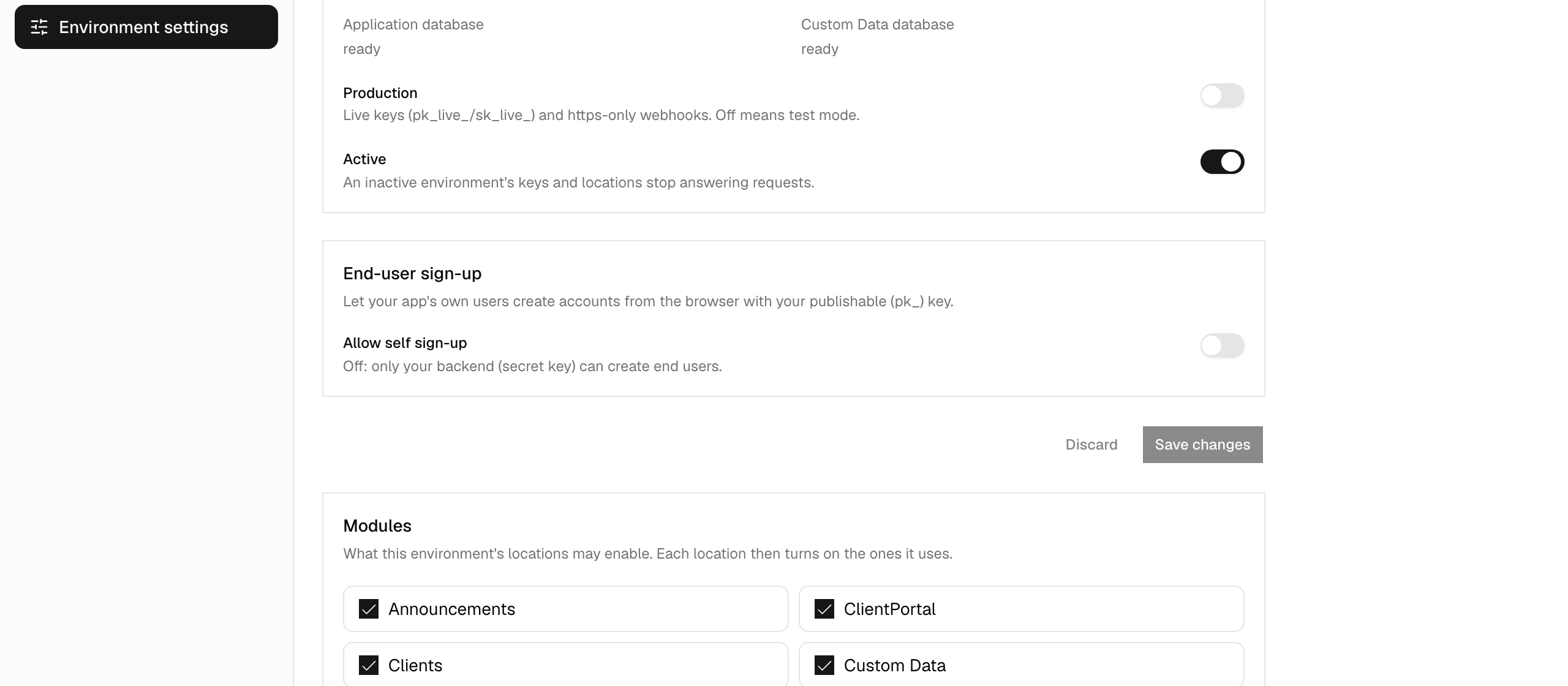
A CRM is a staff tool, so that's what we want. If your app has public sign-up, you'd turn the setting on.
Common mistakes
These are the ones we see most often.
- Treating a login as permission. "They're signed in" doesn't answer "can they delete this?"
- Checking only in the frontend. Hiding a button doesn't stop anyone from calling the API.
- Telling the user which part was wrong. "No such user" tells an attacker which emails exist. Answer a failed sign-in the same way whatever the reason.
- Returning
403for a missing token, or401for a permission failure. The client can't react correctly if the codes are swapped. - Sending the server's credential to the client. If the browser needs a secret key to work, the design needs another look.
- Putting no limit on sign-in attempts. HyphaBase rate limits them, and our server passes that on as a
429.
What authentication doesn't solve
Things are coming along nicely, but we're not done. After this episode every signed-in user can see every customer. Sarah is authenticated, and the next person she hires will be too. Nothing says yet that they should be able to do different things.
That's authorization. In the next episode Marcus Bell joins as staff, with a role that can see the customers but can't delete one.
Frequently asked questions
What is the difference between authentication and authorization?
Authentication checks who is making the request. Authorization checks whether that person is allowed to do what they asked. Authentication comes first, and passing it doesn't grant any permission by itself.
Which comes first, authentication or authorization?
Authentication. A system can't decide what a caller may do until it knows who the caller is.
What is the difference between 401 and 403?
401 means the request isn't authenticated, because the token is missing, expired or invalid. 403 means the caller is authenticated but isn't allowed to do what they asked.
Is an API key authentication or authorization?
Both, for an application. The key identifies your app, which is authentication, and its scopes limit what the app may do, which is authorization. It doesn't identify a person, and that's why apps with users also need user sign-in.
Do I need my own server to add authentication?
If the data is reached with a secret key, yes. Something you control has to hold that key and check the user's token before using it. In this series that server is one small file of plain Node, with no framework.
Should I build authentication myself?
You can, but password hashing, tokens, expiry, revocation and rate limiting are easy to get subtly wrong, and they're the same in every app. We'd use a service for them and spend the time on what your product lets each user do.
More in the series
Next up is episode 4, where we add role-based access control and Marcus finds out what he can't do.
New here? Start from the beginning with database per tenant vs. shared database, or see how the customer data in this episode was built in a CRUD API without the boilerplate.